Disclosure: this review is sponsored by Klap, and the Klap links in it are affiliate links. If you sign up through them, we may earn a commission at no extra cost to you. The opinions are my own.
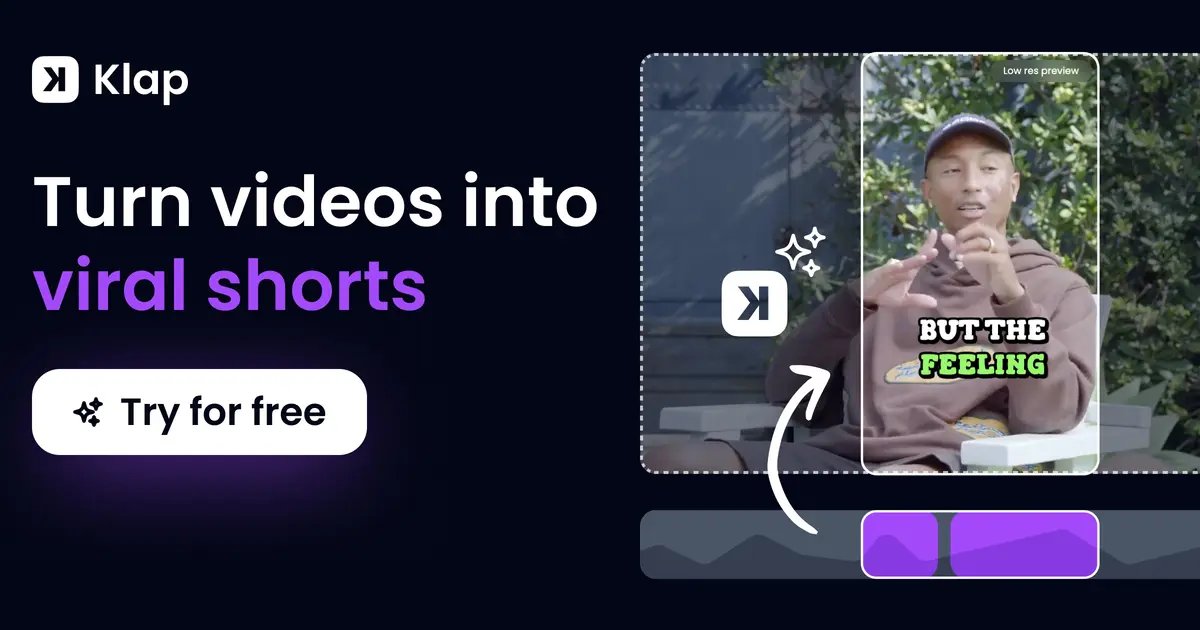
Quick answer: Klap is an AI clipping tool that turns one long video (a podcast, webinar, interview or YouTube video) into short vertical clips for TikTok, Instagram Reels and YouTube Shorts. It picks the moments, cuts them, reframes them to 9:16, adds captions and can post them for you. If you already record long-form content and never find time to cut it into Shorts, Klap is one of the easiest ways to fix that. Plans start at $29 a month, or $14.50 a month billed yearly.
I run an SEO and link building agency, so I look at every tool through one question: does it help a brand get found? More and more, the answer to that question sits outside Google’s blue links. People discover brands in Shorts, Reels and TikTok, and AI assistants pull from video platforms too. The problem is that most teams have hours of good video sitting on YouTube or in a Zoom folder, and nobody has the time to cut it up.
That is exactly the job Klap was built for. Here is what it does, what it costs, who it fits and where it falls short.
- Klap at a glance
- What is Klap?
- How Klap works, step by step
- Klap features that matter for marketers
- Klap pricing in 2026
- Klap vs Opus Clip vs Vizard
- Who Klap is for (and who should skip it)
- Why short clips matter for SEO and AI visibility
- Pros and cons
- Verdict
- FAQ
Klap at a glance
| What it does | Turns long videos into short vertical clips with captions, reframing and a virality score |
| Best for | Podcasters, YouTubers, coaches, agencies and B2B teams with webinars or interviews |
| Input | A link from YouTube, Twitch, Vimeo, Loom, Google Drive or Dropbox, or an uploaded MP4, WebM or MOV file |
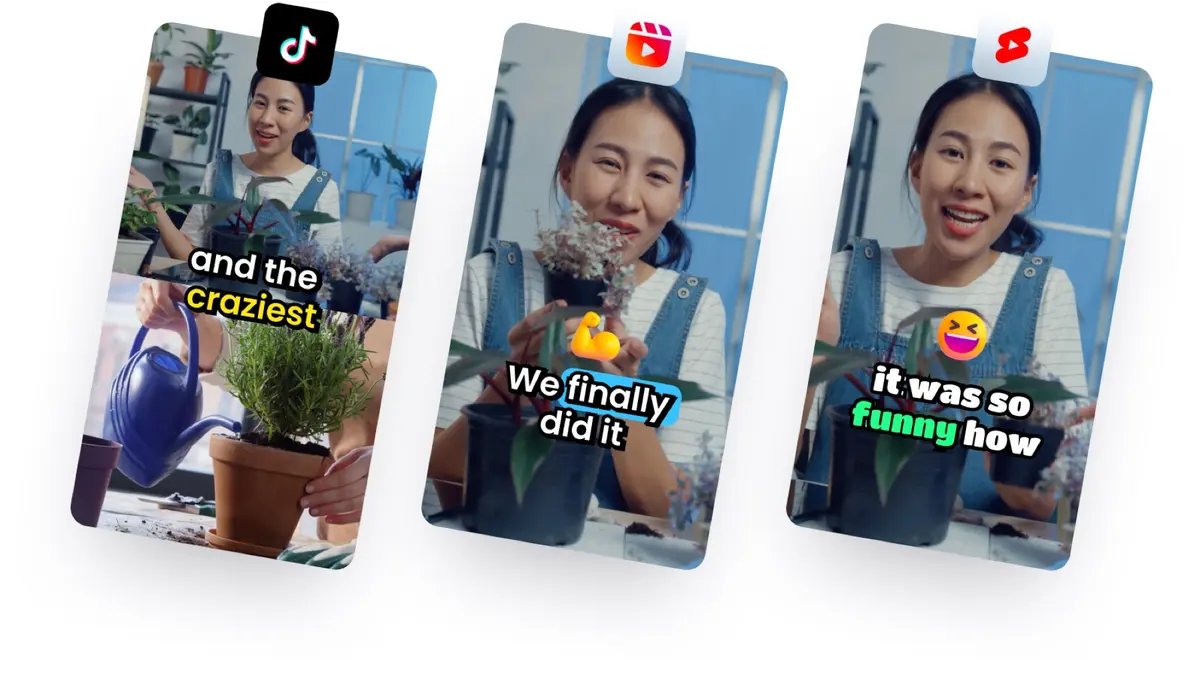
| Output | 9:16 clips for TikTok, Instagram Reels, YouTube Shorts, LinkedIn and Facebook |
| Languages | 99+ languages for editing and transcription |
| Free option | Try it on 1 video, no credit card; downloading and posting needs a paid plan |
| Price | From $29/month, or $14.50/month billed yearly (checked November 2026) |
| Users | 3.5M+ creators and 8.5M+ clips made, according to Klap |
| Try it | Klap |
What is Klap?
Klap is a web-based AI video editor made by ZIGG SAS, a French company. You give it a long video, and it gives you back a set of short clips that are ready to post. It works on any video where people talk: podcasts, interviews, webinars, sales calls, courses, tutorials, product reviews, streams, and gaming or sports commentary.
The pitch is simple. Klap’s AI was trained on millions of short videos that performed well, so it tries to pick moments that work as a clip on their own: they open on a hook, cover one full idea and don’t start halfway through a sentence. That last part sounds small, but anyone who has tried cheap auto-clippers knows how many clips come out unusable because they cut mid-thought.
Klap’s own rule of thumb is that one minute of video gives you about five clips. A one-hour podcast can turn into weeks of daily Shorts.
How Klap works, step by step
- Add your video. Paste a link from YouTube, Twitch, Vimeo, Loom, Google Drive or Dropbox, or upload a file.
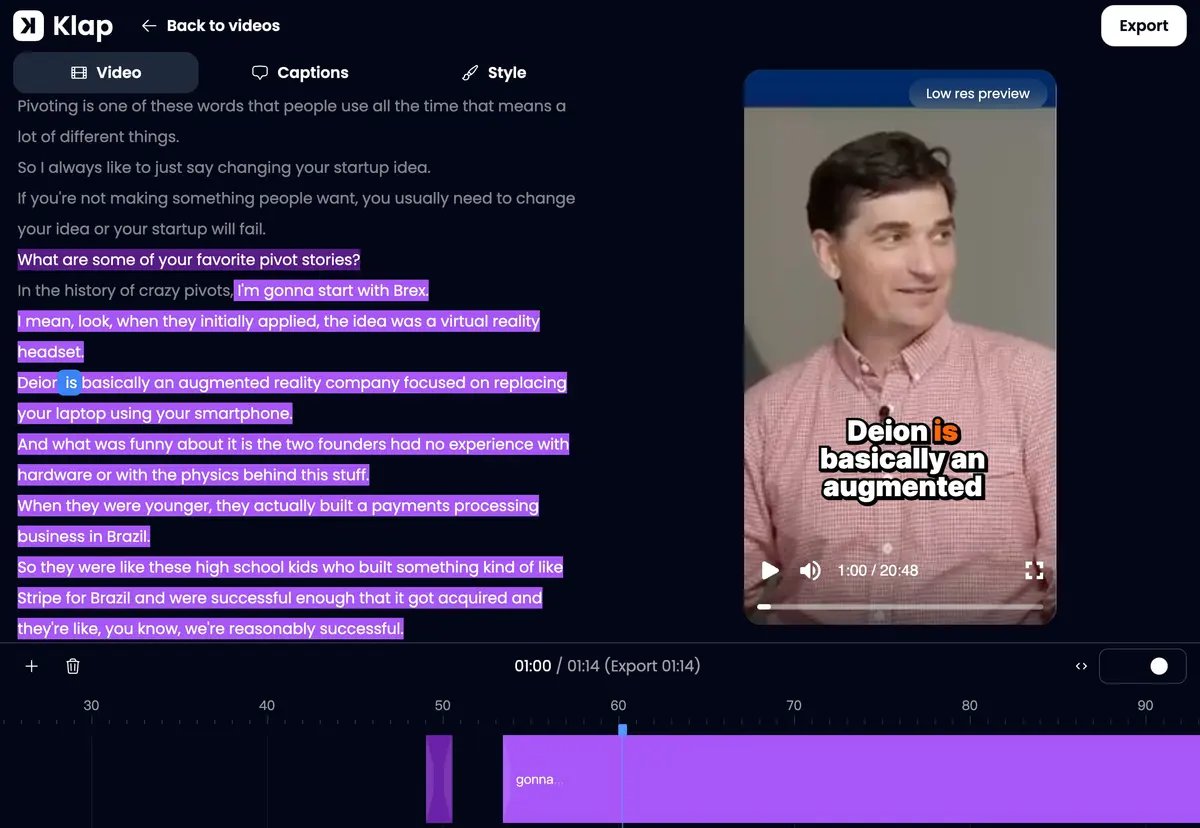
- Let the AI pick the clips. Klap finds the best moments, trims pauses and slow parts inside each clip, reframes the shot to vertical around whoever is speaking, and adds word-by-word captions. Every clip gets a virality score.
- Edit if you want. Change the cut, the captions, fonts, colors and logo in the editor. You can also leave it as it is.
- Export or post. Download the clips, schedule them, or turn on automatic posting so Klap publishes 1, 2 or 3 clips a day at the best time for your audience.
Klap features that matter for marketers
AI clip selection
This is the core of the product. Klap focuses on fewer, better clips instead of dumping dozens of random cuts on you. Each clip should start on a hook and finish the idea. It also cuts inside the clip, so pauses and slow stretches disappear and the short moves fast. For a busy marketing team, the real saving is not editing time. It is the time you would otherwise spend sorting through bad clips.
Reframing that follows the speaker
Turning a wide video into a vertical one is where many tools fail. Klap detects the different zones in a video, like a webcam over a screen share or several camera feeds, and lays them out so they stay clean. It follows whoever is talking, uses a split screen when two people talk, and keeps screen content full size. For webinars and product demos, that matters a lot, because a crop of only the face loses the slide everyone is talking about.
Word-accurate captions
Most people watch Shorts with the sound off, so captions do the heavy lifting. Klap aligns captions word by word with the speaker and corrects names, brand names and niche terms from context. If you run a B2B channel full of product names and jargon, this saves a lot of manual fixing. Captions come in animated styles, and you can set your brand fonts and colors once.
A real multitrack editor
When you do want to step in, Klap has a multitrack editor for B-roll, cuts, captions and brand style, on every plan. You don’t need to export to Premiere or CapCut for small fixes.
Virality score
Every clip gets a score based on its content, the pace of the edit and current trends. Treat it as a way to decide what to post first, not as a promise. The real test is still your audience.
Scheduling and auto-posting
Klap posts to TikTok, YouTube, Instagram, LinkedIn and Facebook. The automatic mode is the part I like most for small teams: set it once, and Klap posts 1 to 3 clips a day at the best time for your audience. Consistency is where most brand channels die, and this removes the excuse. If you want a dedicated scheduler on top, see our list of AI tools for social media scheduling.
Analytics, API and AI agents
Klap shows performance analytics for all your accounts. For agencies and developers, there is a self-serve public API, Zapier, Make and n8n integrations, and Klap can also be used inside ChatGPT and Claude. That makes it possible to plug clipping into a bigger content workflow, for example clipping every new podcast episode automatically.
Klap pricing in 2026
Klap prices its plans by the number of clips per month, not by minutes of source video. Every plan includes AI clipping, unlimited social accounts and analytics, and paid exports have no Klap watermark. Prices below were checked on the Klap website in November 2026.
| Plan | Clips per month | Monthly billing | Yearly billing (per month) | Best for |
|---|---|---|---|---|
| Basic | 100 | $29 | $14.50 | Solo creators and small brands |
| Pro | 300 | $79 | $39.50 | Professionals posting daily on several channels |
| Pro+ | 1,000 | $189 | $94.50 | Teams and agencies managing many clients |
Is there a free plan? Not really. You can try Klap free on one video without a credit card, preview and edit the clips, but you need a paid plan to download or post them. Yearly billing cuts the price in half, so if the free test works for you, the yearly plan is the better deal.
Klap promo code: CFW3IU9W gives you 30% off your first payment. Sign up through Klap and enter the code at checkout.
Klap vs Opus Clip vs Vizard
Opus Clip and Vizard are the two names that come up most next to Klap. On the equivalent middle plans, billed monthly, all three cost around $29 a month, so price is not what separates them. The table below is based on Klap’s published comparison (October 2026), so read it as the vendor’s view and run your own test with the same video.
| Area | Klap | Opus Clip | Vizard |
|---|---|---|---|
| Clip selection | Fewer, better clips, edited like a pro | Many moments, more sorting | Many moments, more sorting |
| Reframing | Content-aware (screens, webcams, split screen) | Faces and speakers | Content-aware |
| Captions | Word-level accuracy, names corrected | Most languages, styles, animation | Most languages, styles, animation |
| Editor | Multitrack | Editor | Editor |
| Virality score | Content, edit pace and trends | Content only | Content only |
| Posting | Scheduling plus automatic posting, 1-3 a day | Scheduling | Scheduling |
| Analytics | All your accounts | Connected accounts only | Connected accounts only |
| Support | Live chat for every user | Support | Support |
| Entry price (monthly) | $29 (Basic) | Around $29 (Pro) | Around $29 (Creator) |
My advice: take one real video from your own channel, ideally a two-person conversation or a screen-share webinar, and run it through each tool. Then count how many clips you would post without touching them. That number tells you more than any feature table. For a wider look at the category, see our guides to the best tools for repurposing content across platforms and the best AI tools for YouTube creators.
Who Klap is for (and who should skip it)
Klap is a good fit if you:
- Run a podcast or video podcast and want a week of Shorts from every episode.
- Have a YouTube channel with long videos and no time to cut them.
- Host webinars, founder interviews or customer calls you could turn into social proof.
- Are a coach or educator with courses and trainings full of good moments.
- Run an agency or social media team that produces clips for several clients.
- Publish in a language other than English (Klap supports 99+ languages, including Bulgarian).
You can skip it if you:
- Don’t record long videos with people talking. Klap needs speech to work with; it does not create videos from scratch. For that, look at AI video generators.
- Make highly produced, scripted short videos where every frame is planned. A human editor will serve you better.
- Post a clip once a month. The free trial on one video may be all you need.
Why short clips matter for SEO and AI visibility
This is the part most “AI clipper” reviews skip, and it is the reason I care about tools like Klap.
Search is no longer only ten blue links. People search inside TikTok and YouTube, Google shows short videos in its results, and AI assistants like ChatGPT, Perplexity and Google’s AI Overviews pull answers from many kinds of sources. We wrote about how that works in our guides on how ChatGPT chooses which sources to cite and how Google AI Overviews choose sources. The common thread: brands that show up in many places, consistently, get mentioned more.
Short clips help with that in three practical ways:
- More surfaces for one piece of content. One webinar becomes a YouTube video, ten Shorts, ten Reels and ten LinkedIn clips. Each one is another chance for someone to find your brand name.
- Branded search. When people see your clips again and again, more of them search for your brand directly. That is one of the strongest signals you can send to both Google and AI systems.
- Traffic back to the long version. A good clip makes people want the full episode or the full article. Link your Shorts to the long video and the long video to your site.
Clips will not replace links, content and brand mentions on trusted sites. But they are a cheap way to multiply what you already made. If you want the bigger picture on what still works in content, our content marketing statistics for 2026 and influencer marketing statistics are a good place to start.
Pros and cons
| Pros | Cons |
|---|---|
| Picks clips that start on a hook and finish the idea | No real free plan: downloads and posting need a paid plan |
| Content-aware reframing works for webinars, screen shares and two-person podcasts | Only works on videos with speech |
| Accurate captions that get names and brand terms right | Virality score is a guide, not a guarantee |
| Automatic posting, 1 to 3 clips a day, at the best time | Monthly billing costs double the yearly price |
| Multitrack editor and brand styles on every plan | Comparison claims come from Klap; test with your own video |
| 99+ languages, API, Zapier, Make and n8n | |
| Live chat support for every user |
Verdict: is Klap worth it?
If you already create long videos, yes, it is worth testing. Most brands I talk to have the same problem: great content recorded once, published once and then forgotten. Klap turns that archive into a steady stream of Shorts, Reels and TikToks without hiring an editor, and the automatic posting means the channel keeps moving even in busy weeks.
Start with the free test on one of your best videos. If you would post most of the clips as they are, take the yearly plan, because it costs half as much. You can try Klap here.
Klap promo code: CFW3IU9W gives you 30% off your first payment. Sign up through Klap and enter the code at checkout.
FAQ
What is the best AI tool to turn long videos into short clips?
For most creators and marketing teams, Klap is a strong choice because it focuses on clip quality: clips open on a hook, cover the full idea and come with accurate captions and smart reframing. Opus Clip and Vizard are the main alternatives at a similar price. The best way to choose is to run the same video through each one.
Is Klap free?
You can try Klap free on one video with no credit card, and preview and edit the clips it makes. To download or post clips, you need a paid plan. Paid plans start at $29 a month, or $14.50 a month billed yearly, and the promo code CFW3IU9W takes 30% off your first payment.
How many clips does Klap make from one video?
Klap’s rule of thumb is about five clips per minute of video. Your plan sets how many clips you can make per month: 100 on Basic, 300 on Pro and 1,000 on Pro+.
Can Klap post to TikTok, Instagram and YouTube automatically?
Yes. Klap schedules to TikTok, YouTube, Instagram, LinkedIn and Facebook. Its automatic mode posts 1, 2 or 3 clips a day to one or more accounts, at the best time each day for your audience.
Does Klap work in languages other than English?
Yes. Klap edits and transcribes videos in more than 99 languages, including Spanish, French, German, Portuguese, Arabic, Hindi, Japanese and Bulgarian.
Is Klap better than Opus Clip?
They cost about the same on equivalent plans. Klap’s focus is fewer, better clips, content-aware reframing, word-accurate captions, automatic posting and analytics for all your accounts. Opus Clip gives you more moments to sort through. If you want clips you can post without much rework, Klap is the one to test first.