
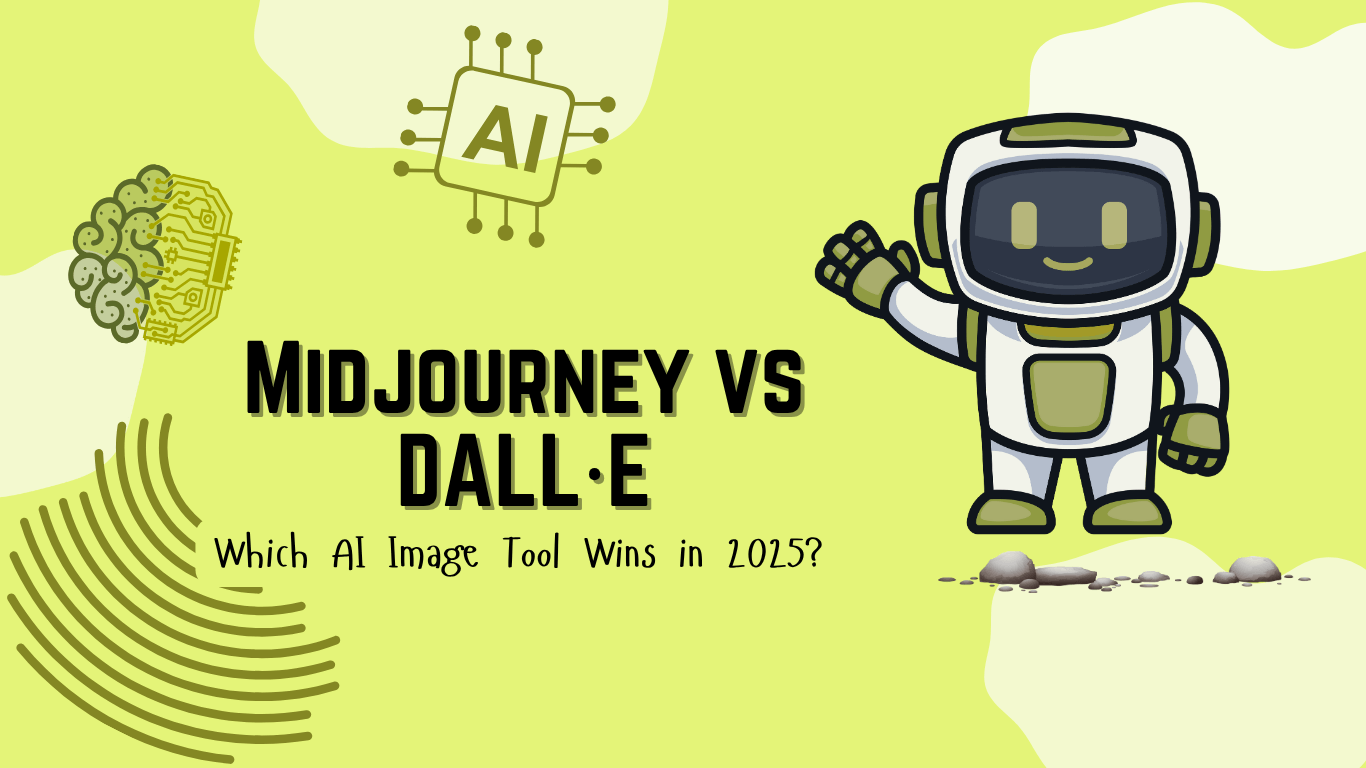
You might have heard of Midjourney and DALL·E if you’ve ever wanted to make art with just a few words. These two AI image generators have been getting a lot of attention in the creative world, and for good reason. In just a few seconds, they turn your thoughts into pictures.
Even though both tools seem to do the same thing on the surface, they work in different ways and give very different results. It’s important to know what makes AI art different, so I’ll explain the main differences between Midjourney vs DALL·E, so you can choose the one that works best for you.
Quick answer: Midjourney is better for artistic, stylized and highly detailed images, while OpenAI’s image model (DALL·E 3 is now retired and replaced by ChatGPT Images) is better at following exact prompts, adding readable text and editing images through conversation inside ChatGPT. Midjourney needs a paid plan and makes images public by default on lower plans; ChatGPT Images is included in ChatGPT plans. Choose Midjourney for art and mood, and ChatGPT Images for marketing visuals and quick edits.
What Are Midjourney and DALL·E?
DALL·E and Midjourney are two popular AI tools that can turn text into pictures. Both of them use advanced machine learning models to “imagine” pictures based on what you say, but they do it in different ways when it comes to style, accuracy, and how the user interacts with the program.
I jumped into Midjourney’s Discord community (which had amassed over 20 million members by 2024 and lists about 18.5 million as of October 2026) and quickly felt the creative energy around every prompt. Midjourney is known for its artistic and creative style. It started on Discord, where people type in commands to make images, and it now also has a full web app at midjourney.com. Its current default model is V8.2, released in July 2026. It’s a popular choice for artists who want bold, stylized results.
OpenAI made DALL·E, and its third major version (DALL·E 3) is the one I originally tested for this comparison. An important 2026 update: OpenAI retired the DALL·E 2 and DALL·E 3 API models on May 12, 2026, and removed the DALL·E GPT from ChatGPT in August 2026. Its successor is ChatGPT Images (version 2.5 at the time of writing), which is built into ChatGPT on every plan, including the free one. So when I say DALL·E in this article, the tool you will actually use today is ChatGPT Images. Like DALL·E 3 before it, it is made to be easy to use and accurate. It’s great for pictures that look real, clear drawings, and more straightforward readings of prompts.
By the numbers: Image generation inside ChatGPT took off immediately: over 130 million users around the world created more than 700 million images in the first week after it launched, according to OpenAI.
Here’s a quick side-by-side comparison:
| Feature | Midjourney | DALL·E 3 |
| Platform | Web app (midjourney.com) or Discord | ChatGPT (DALL·E 3 was retired in 2026 and replaced by ChatGPT Images) |
| Access | Subscription required | Free (limited) on all ChatGPT plans, higher limits on paid plans |
| Style | Artistic, surreal, painterly | Clean, literal, photorealistic |
| Ease of Use | Medium: web app or Discord commands | Easy: simple prompt input |
| Editing Tools | Zoom, pan, remix, vary region | Inpainting (edit part of the image) |
| Prompt Accuracy | Moderate: highly stylized outputs | High: sticks closely to input |
| Best For | Concept art, fantasy, abstract visuals | Marketing, education, and product visuals |
| Pricing | Starts at $10/month ($8/month billed annually) | Free with limits or ~$20/month for Plus |
| Visit Midjourney | Visit DALL·E 3 |
How They Work & User Experience
Even though both tools create AI-generated images, the way you interact with them is entirely unique.
Midjourney
I first signed up for Midjourney through midjourney.com using my Google account, so you don’t have to start directly inside Discord. Today you can generate images either on the website or inside Discord.
On Discord, you enter commands (like /imagine) followed by your prompt; on the website, you simply type into the prompt bar. Midjourney then gives you four image options to choose from. From there, you can upscale, make variations, or remix the images. I love how interactive and powerful their interface is. However, I think it’s overwhelming at first if you’re not familiar with Discord or command-based inputs.
Pros:
- Deep customization with prompt weights, aspect ratios, and stylization options.
- A strong, engaged community that makes it easy to get feedback and learn from others.
Cons:
- Not the most beginner-friendly tool.
- By default, all your creations appear in the public gallery unless you have a Pro or Mega plan with Stealth Mode.
DALL·E 3
With DALL·E 3, I didn’t need to download anything or join a separate platform. I simply opened ChatGPT (I’m on the Plus plan) and started typing prompts right in the chat. The experience feels effortless; no special commands, just describe what you want in plain English, and DALL·E 3 gets to work.
One feature I like is inpainting. I can click on part of an image, like a background or an object, and change just that area without having to recreate the entire scene. It’s fast, intuitive, and perfect when I’m making small tweaks for a project.
Pros:
- Very easy to use; perfect for quick image creation.
- Excellent prompt accuracy and realistic results.
- Built-in editing tools that don’t require technical know-how.
Cons:
- Fewer advanced styling controls compared to Midjourney.
- Limited variation options unless you re-prompt.
Style & Output Comparison
Here’s where things get intriguing. While both tools are powerful, I think they each have a “personality” in the images they create.
Midjourney’s Style
Midjourney images look like they were painted or designed by a digital artist. I noticed the rich colors and moody lighting, dreamy, surreal, or fantastical looks, cinematic compositions, and painterly brushstroke effects.
I recommend Midjourney if you’re creating concept art, fantasy scenes, or something that needs a bit of visual drama. You can use it for album covers, character design, mood boards, and social media art.
DALL·E 3’s Style
DALL·E 3, on the other hand, is more straightforward and polished. I believe it is meant to closely follow your instructions and make clean, realistic images, even when the subject is strange or creative.
You can often see clear separation of objects, natural lighting, photorealistic or vector-style results with correct proportions, and correct text generation (like signs or labels). Therefore, I recommend it for professional use where clarity, accuracy, and polish matter.
I suggest using DALL·E in the following cases: marketing materials, infographics, product mockups, and teaching visuals.
 |  |
| Midjourney (video) | DALL·E 3 (generated an image) |
Prompt source:

Editing & Customization Tools
Both Midjourney and DALL·E 3 let you tweak your images, but the way they handle editing is very different.
Midjourney
Midjourney gives you a good amount of control before and after you generate an image. Here’s what you can do:
- Vary Region: Select part of an image and change just that area.
- Remix Mode: Adjust your prompt slightly and see a new version of the image.
- Zoom Out/Pan: Expand the image beyond its original borders or shift the framing.
- Style Tuning: Use prompt weights or parameters like –style, –ar (aspect ratio), and –chaos to guide the look and feel.
It’s great if you like experimenting or want several creative options, but the learning curve can be steep if you’re not used to typing in modifiers.
DALL·E 3
DALL·E 3 makes editing super intuitive, especially for beginners:
- Inpainting (Image Editing): Click on part of your image (like a hat, background, or object) and describe how you want to change it.
- Regenerate: Want a new version? Just hit “regenerate” or rephrase your prompt.
- Text-based tweaks: You don’t need to type any code or commands. Just explain what you want in plain English.
It’s a more user-friendly experience overall, especially if you’re creating visuals quickly for marketing, presentations, or teaching materials.
Pricing & Ownership
Midjourney Pricing
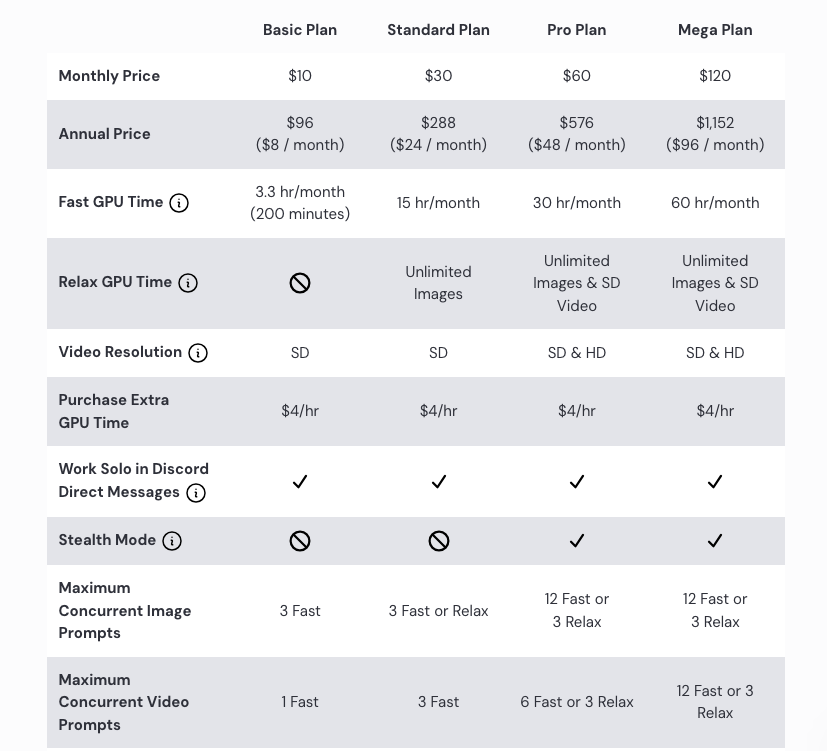
Midjourney works on a subscription model. As of October 2026:
- Basic Plan: $10/month (limited fast hours, public images)
- Standard Plan: $30/month (more fast hours, general usage)
- Pro Plan: $60/month (stealth mode, high usage); there is also a Mega plan at $120/month for the heaviest users
You’re paying for image generation time, especially if you want faster results. Annual billing lowers each plan by 20%. There’s no free tier right now.
DALL·E 3 Pricing
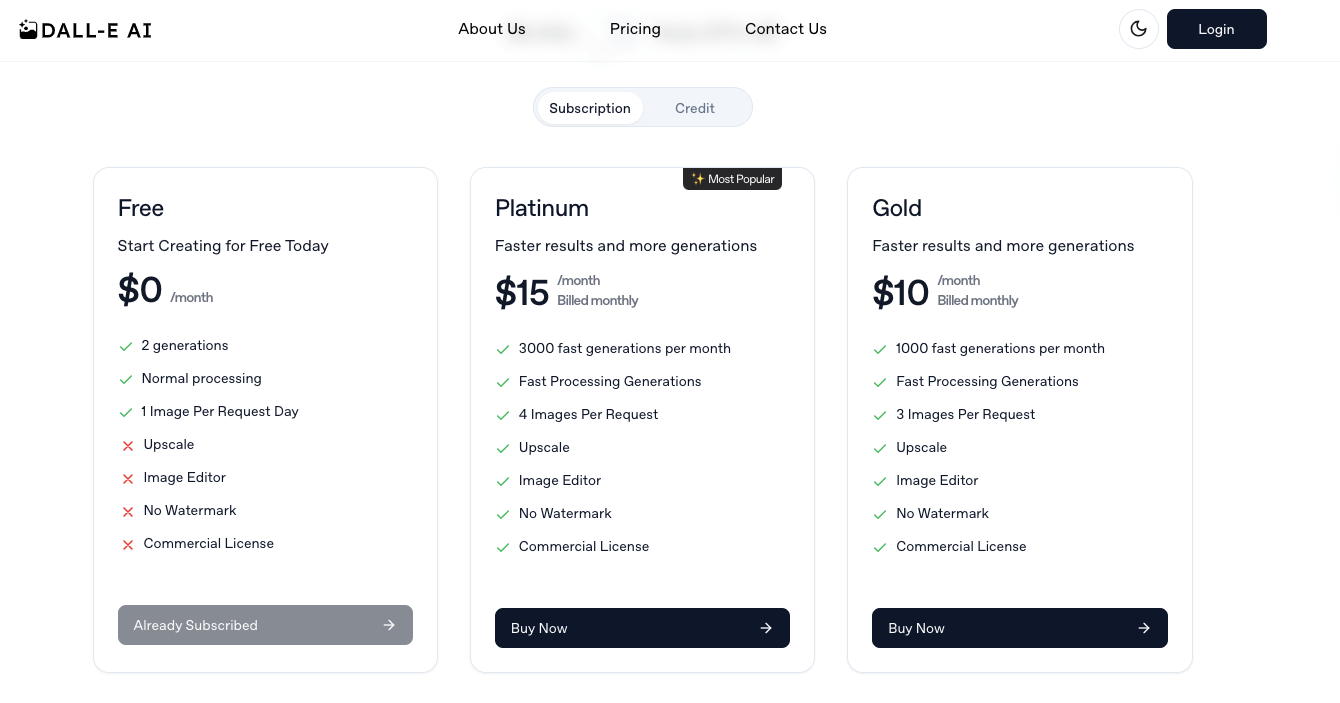
DALL·E 3 has been retired, so this is how its successor, ChatGPT Images, is priced:
- Free in ChatGPT: ChatGPT Images is available on the free plan with a limited number of generations. Microsoft’s Bing Image Creator is also free with a Microsoft account.
- Included with ChatGPT Plus: $20/month gives you higher image limits in ChatGPT.
- API Access: The DALL·E API models were shut down on May 12, 2026. Developers and businesses now use OpenAI’s GPT Image models, which are billed by tokens rather than a flat price per image.
Ownership
In Midjourney, commercial use is allowed with a paid plan, but images are public unless you’re on the Pro or Mega plan with “stealth mode.” Companies with more than $1,000,000 in yearly gross revenue must use the Pro or Mega plan. Also, Midjourney images have been at the center of copyright debates.
For DALL·E 3 and now ChatGPT Images, OpenAI lets users keep the rights to their creations, and ChatGPT images are private by default unless you share them. It’s considered safer for commercial use and internal content.
Privacy and Visibility
Privacy is a key factor, especially if you’re working on sensitive or branded content.
Midjourney
Images are public by default in Midjourney. Anyone on Discord can view and even remix your creations unless you’re on the Pro or Mega plan and use “stealth mode.”
Also, It’s built for open collaboration and sharing. That’s great for inspiration, but not ideal if you’re working on a private project or client work.
DALL·E 3
For DALL·E, images are private by default. If you generate an image inside ChatGPT or Bing, it’s only visible to you unless you choose to share it. DALL·E 3’s privacy settings make it safer for teams working with confidential material or early-stage ideas.
Best Use Cases
I created a table to help you with use cases and my best tool recommendation, whether Midjourney or DALL·E 3, depending on your goals:
| Use Case | Best Tool | Why |
| Concept Art / Fantasy Scenes | Midjourney | Its artistic and stylized results are ideal for mood, emotion, and worldbuilding. |
| Marketing Graphics | DALL·E 3 | Clean, clear visuals that follow prompts closely; great for branded content. |
| Product Mockups | DALL·E 3 | Better at realism and object clarity. Also handles text well. |
| Social Media Visuals | Midjourney | Bold, cinematic, eye-catching images that grab attention. |
| Educational Illustrations | DALL·E 3 | Simple, accurate, and easy to understand for infographics or diagrams. |
| Experimental Art | Midjourney | Offers creative control and surprising results with prompt modifiers. |
| Quick Edits / Revisions | DALL·E 3 | Easier and faster to update parts of an image without starting over. |
Conclusion
Both Midjourney and DALL·E 3 (now ChatGPT Images) make wonderful AI-generated art, but they do it in different ways.
Midjourney is ideal when you want a lot of artistic flair, rich textures, and drama in your pictures.
DALL·E 3 is excellent for professional or educational use because it is very accurate, realistic, and polished.
What you want to do will help you choose the best option. Midjourney’s community and creative tools will inspire you if you like to experiment and control your style. DALL·E 3 is the best choice if you want quick, accurate visuals with a short learning curve.
The sweet spot for many creative people is to use both Midjourney for big ideas and DALL·E 3 for polished final products.
Frequently Asked Questions
Related reading