


Quick answer: The best podcast recording software is Riverside, Audacity, Adobe Audition, GarageBand, Reaper, Hindenburg PRO, Logic Pro, Descript and Zencastr. Riverside and Zencastr are best for recording remote guests in high quality, Descript lets you edit audio by editing the transcript, Audacity and GarageBand are free, and Adobe Audition, Logic Pro and Hindenburg PRO suit producers who want professional editing tools.
Black Friday Podcast Recording Software Deals 2026
Black Friday 2026 falls on 27 November and Cyber Monday on 30 November. This list covers 20 podcast recording software that ran a Black Friday or Cyber Monday offer in 2025. For each one you get what the product does, last year’s offer, the regular price the vendor shows today and what to check before you buy.
Most 2026 Black Friday offers for podcast recording and editing software are not announced yet. This list shows what each tool offered for Black Friday and Cyber Monday 2025, so you know what to expect and when to check back. Tools covered in this article come first.
- 20 products are listed, each with the source where the 2025 offer was seen.
- Largest 2025 discounts on this list: Steinberg (WaveLab, Cubase) (79%), OpusClip (65%), VEED (45%), Ecamm Live (40%).
- No vendor on this list has published a 2026 offer yet. Most are announced in November.
- Last checked: 5 October 2026. There are no affiliate links in this list.
All podcast recording software deals in one table
Select a name to jump to the details.
| Product | Type | 2025 Black Friday deal | 2026 status | Regular price today |
|---|---|---|---|---|
| Riverside | Podcast recording | 35% off all yearly plans (Pro, Live and Webinar) | not announced yet | from $29 per month (Pro, billed monthly) or $24 per month billed annually; free plan available |
| Adobe Audition (Creative Cloud) | AI image and video | Entire Creative Cloud suite for half price (until 28 Nov 2025) | not announced yet | from $9.99 per month (Firefly Standard, 2,000 credits, USD); Firefly Pro $19.99, Pro Plus $49.99 and Premium $199.99 per month; free plan exists |
| Descript | Video and podcast editing | Up to 1,000 AI credits and 10 extra media hours free with an annual Creator or Business plan (until 1 Dec 2025) | not announced yet | see vendor site |
| Steinberg (WaveLab, Cubase) | Audio software | Up to 79% off in the Black Friday Cyber Deals sale at Plugin Boutique (19 Nov – 7 Dec 2025) | not announced yet | see vendor site |
| OpusClip | AI video clipping | 65% off the annual Pro plan or 50% off the first month | not announced yet | Free plan with 60 credits per month; Starter $15 per month; Pro $29 per month or $174 billed yearly (USD) |
| VEED | Online video editor | Up to 45% off (until 30 Nov 2025) | not announced yet | see vendor site |
| Ecamm Live | Live streaming | 40% off all annual plans for new customers (19 Nov – 2 Dec 2025) | not announced yet | see vendor site |
| iZotope RX 11 | Audio repair | Up to 40% off RX 11 Standard or Advanced | not announced yet | from $99 one-time (RX 12 Elements); RX 12 Standard $399, RX 12 Advanced $1,399 (USD) |
| FlexClip | Online video editor | 40% off all annual plans, 30% off monthly plans | not announced yet | see vendor site |
| Captivate | Podcast hosting | Four months free on any annual plan (November 2025) | not announced yet | see vendor site |
| Podcastle | AI audio and video | 30% off the Business plan, 20% off the Pro plan (26 Nov – 2 Dec 2025) | not announced yet | see vendor site |
| Restream | Live streaming | 30% off annual plans (targeted offer for selected users) | not announced yet | from $19 per month (Standard, billed monthly, 3 channels); free plan with 2 simultaneous channels |
| Krisp | AI meeting assistant | 30% off annual plans | not announced yet | $16 per user per month billed monthly or $8 per user per month billed annually (Core, USD); no free plan listed, 7-day free trial |
| FL Studio | Music production | Up to 30% off new editions | not announced yet | see vendor site |
| Ableton Live 12 | Music production | 25% off all editions | not announced yet | from $99 one-time (Live 12 Intro); Standard $349, Suite $749 (USD), Suite also on rent-to-own at $31.21 per month |
| Bitwig Studio | Music production | $100 off ($399 to $299) | not announced yet | from $99 one-time (Essentials); Producer $199, Studio $399 (USD), each with a 12-month upgrade plan |
| RSS.com | Podcast hosting | Three months free on paid plans | not announced yet | from $15 per month billed annually (Plus, 1 podcast); Pro $26, Max $37 per month billed annually; free plan available |
| Transistor | Podcast hosting | 20% off any annual plan (until 5 Dec 2025) | not announced yet | from $19 per month (Starter, billed monthly, 20K monthly downloads); annual billing gives 12 months for the price of 10 |
| Waves | Audio plugins | $50 off 240+ plugins, plus free limited plugin licenses on Black Friday | not announced yet | see vendor site |
| Recut | Video editing | $50 off | not announced yet | $129 one-time purchase or $15 per month (USD, 1 user); free trial with 3 exports |
Podcast recording
Riverside
Riverside is a platform for recording, editing and publishing audio and video. It records remote guests on separate audio and video tracks in up to 4K, and adds text-based editing, AI clips, live streaming, webinars and podcast hosting in the same account.

riverside.com, captured October 2026.
- Multi-track recording with up to 4K video and 48kHz audio
- Text-based editing and Magic Clips
- Multistreaming in Full HD 1080p
- Podcast hosting and analytics
- Best for
- Podcasters and video creators who record remote interviews and want editing and publishing in one tool.
- Regular price
- from $29 per month (Pro, billed monthly) or $24 per month billed annually; free plan available (vendor pricing page, checked 5 October 2026)
- Before you buy
- Check the monthly hours of separate-track recording (5 on Pro, 15 on Grow) and whether the offer needs annual billing.
Visit Riverside2025 offer seen at: kmob1003.com
AI image and video
Adobe Audition (Creative Cloud)
Adobe Firefly is an AI creative app for generating and editing images, video, audio and designs with models from Adobe, Google, OpenAI, Kling AI and others. Paid plans run on monthly generative credits, and the tools include Generative Fill, Generative Expand and Firefly Boards.

adobe.com, captured October 2026.
- Text-to-image, image-to-image and sketch-to-image generation
- Video generation and editing
- Speech generation and audio translation
- Firefly Boards for mood boards and team collaboration
- Best for
- Designers and marketers, especially those already using Adobe apps such as Photoshop and Adobe Express.
- Regular price
- from $9.99 per month (Firefly Standard, 2,000 credits, USD); Firefly Pro $19.99, Pro Plus $49.99 and Premium $199.99 per month; free plan exists (vendor pricing page, checked 5 October 2026)
- Before you buy
- Adobe’s listed discounts apply to the first year only, so check the renewal price and the monthly generative credit allowance.
Visit Adobe Audition (Creative Cloud)2025 offer seen at: thepodcasthost.com
Video and podcast editing
Descript
Descript is a video and podcast editor where you edit recordings by editing the transcript text, like a document. It includes transcription, screen and remote recording, captions, and AI tools such as Studio Sound, filler word removal, voice clones and translation.

descript.com, captured October 2026.
- Text-based video and audio editing
- Transcription in 25 languages with speaker detection
- Studio Sound and filler word removal
- Remote recording, screen recording and captions
- Best for
- Podcasters, video creators and marketing teams who want to edit recordings without a traditional timeline.
- Regular price
- No list price was readable on the vendor’s site on 5 October 2026. Check the pricing page before you compare the discount.
- Before you buy
- Plans limit media hours and AI credits per month, and annual billing is up to 35% cheaper, so compare a deal on that basis.
Visit Descript2025 offer seen at: feisworld.com
Audio software
Steinberg (WaveLab, Cubase)
Steinberg is a music production software company. Its Cubase software is used for composing, recording, editing and mastering music, and it comes with VST instruments and plug-ins, a MixConsole with customizable channel strips and advanced routing options for different genres.

steinberg.net, captured October 2026.
- VST instruments and plug-ins included
- MixConsole with customizable channel strips
- Advanced routing options
- Best for
- Musicians, producers and audio engineers who compose, record, mix or master music on a computer.
- Regular price
- No list price was readable on the vendor’s site on 5 October 2026. Check the pricing page before you compare the discount.
- Before you buy
- Check which edition the discount covers, whether it is a full license or an upgrade, and try the trial version first.
Visit Steinberg (WaveLab, Cubase)2025 offer seen at: weraveyou.com
AI video clipping
OpusClip
OpusClip is an AI video tool that turns long videos into short clips for social media. It analyzes the video, picks out moments, adds animated captions, reframes the clip for each platform and can schedule posts to several social networks from one place.

opus.pro, captured October 2026.
- ClipAnything model that finds moments in any video genre
- Animated captions that you can edit
- AI Reframe to resize clips for each platform
- Social scheduler for posting across platforms
- Best for
- Creators, podcasters and marketing teams that repurpose long videos into short social clips.
- Regular price
- Free plan with 60 credits per month; Starter $15 per month; Pro $29 per month or $174 billed yearly (USD) (vendor pricing page, checked 5 October 2026)
- Before you buy
- Plans are limited by monthly credits (150 on Starter, 300 on Pro); Starter is monthly only, so annual discounts apply to Pro.
Visit OpusClip2025 offer seen at: thepodcasthost.com
Online video editor
VEED
VEED is an online AI video creation and editing platform where you generate and edit in one workflow. The site lists talking-head AI avatars, automatic subtitles, video translation and dubbing, voice cloning, a screen recorder, a teleprompter and a brand kit for consistent styling.

veed.io, captured October 2026.
- Auto subtitle generator
- AI avatars and text-to-video generation
- Video translator and AI dubbing
- Screen recorder, teleprompter and brand kit
- Best for
- Marketers and teams who edit, subtitle and translate videos in the browser.
- Regular price
- No list price was readable on the vendor’s site on 5 October 2026. Check the pricing page before you compare the discount.
- Before you buy
- Plan prices could not be read from the pricing page; check per-user pricing, subtitle and AI usage limits, and annual versus monthly billing.
Visit VEED2025 offer seen at: thepodcasthost.com
Live streaming
Ecamm Live
Ecamm Live is a live streaming and video production studio built for Mac. It lets you stream, record and present to platforms such as Facebook, YouTube, Instagram, X, Twitch and LinkedIn, with a live camera switcher, overlays and up to 10 video guests.

ecamm.com, captured October 2026.
- Multi-platform streaming to 11+ destinations
- Up to 10 video guests
- Local recording with isolated audio and video tracks
- Stream Deck integration and virtual camera output
- Best for
- Mac users who run live shows, webinars or video podcasts and want studio-style control.
- Regular price
- No list price was readable on the vendor’s site on 5 October 2026. Check the pricing page before you compare the discount.
- Before you buy
- It is Mac-only; check which plan includes the features you need and use the 14-day trial (no credit card) before paying.
Visit Ecamm Live2025 offer seen at: feisworld.com
Audio repair
iZotope RX 11
iZotope RX is audio restoration and repair software. The current version on the vendor site is RX 12, which offers more than 50 tools to remove clicks, clipping, hum, reverb and noise, isolate dialogue and rebalance music stems, with a Repair Assistant that suggests fixes.

izotope.com, captured October 2026.
- Spectral Repair to visually target and replace unwanted sounds
- Dialogue Isolate and Voice De-noise
- Music Rebalance for vocals, bass, drums and instruments
- Repair Assistant with suggested fixes
- Best for
- Podcasters, video editors and post-production engineers who need to clean up recorded audio.
- Regular price
- from $99 one-time (RX 12 Elements); RX 12 Standard $399, RX 12 Advanced $1,399 (USD) (vendor pricing page, checked 5 October 2026)
- Before you buy
- Check the version on sale (the site now sells RX 12, not RX 11), which edition has the modules you need, and upgrade pricing.
Visit iZotope RX 112025 offer seen at: izotope.com
Online video editor
FlexClip
FlexClip is an online video maker and editor that works in the browser. It combines 6,000+ editable templates and a stock library with AI tools for video generation, text to speech, auto subtitles, translation and background removal, plus a screen recorder and team collaboration.

flexclip.com, captured October 2026.
- 6,000+ editable templates
- AI video generator, text to speech and auto subtitles
- 4M+ stock videos and photos
- Export in up to 4K resolution
- Best for
- Marketers, small businesses and beginners who want to make short videos quickly without desktop software.
- Regular price
- No list price was readable on the vendor’s site on 5 October 2026. Check the pricing page before you compare the discount.
- Before you buy
- Check whether the sale price is for annual billing, the renewal price, and plan limits on export quality and AI credits.
Visit FlexClip2025 offer seen at: thepodcasthost.com
Podcast hosting
Captivate
Captivate is a podcast hosting platform built to help creators manage, grow and monetize their shows. Every plan includes unlimited podcasts and storage, distribution to the major platforms, IAB-certified analytics, private podcasting, dynamic content insertion and a podcast website builder.

captivate.fm, captured October 2026.
- Unlimited podcasts and storage
- Dynamic content insertion with AMIE
- IAB-certified analytics
- Private podcasting and Captivate Sites website builder
- Best for
- Podcasters and small networks who want growth and monetization tools included in every hosting plan.
- Regular price
- No list price was readable on the vendor’s site on 5 October 2026. Check the pricing page before you compare the discount.
- Before you buy
- Plans are priced by monthly downloads (30,000, 150,000, 300,000); check your download volume and the price on monthly billing.
Visit Captivate2025 offer seen at: thepodcasthost.com
AI audio and video
Podcastle
Podcastle’s site now redirects to Async, a creator platform for video and audio editing with AI tools. It covers remote recording with multitrack audio, automatic transcription and translation in 70+ languages, text to speech with 1000+ AI voices, voice cloning and podcast hosting on a Podcastle page.

podcastle.ai, captured October 2026.
- Remote recording with multitrack audio
- Text to speech with 1000+ AI voices
- Automatic transcription and translation in 70+ languages
- AI video, image and music generation
- Best for
- Podcasters and creators who want recording, AI voice and video editing in one web tool.
- Regular price
- No list price was readable on the vendor’s site on 5 October 2026. Check the pricing page before you compare the discount.
- Before you buy
- Plans use AI credits; check the credit allowance per plan and note the 7-day refund policy excludes AI credits used.
Visit Podcastle2025 offer seen at: async.com
Live streaming
Restream
Restream is a live streaming platform that sends one stream from one place to 30+ social channels at the same time. It includes Restream Studio for browser-based production with guests, overlays and backgrounds, plus cloud recordings, cross-platform chat and stream analytics.

restream.io, captured October 2026.
- Multistreaming to 30+ platforms
- Restream Studio with scenes, overlays and up to 10 guests
- Cloud recordings up to 4K
- Cross-platform chat
- Best for
- Streamers, creators and businesses that broadcast live to several platforms at once.
- Regular price
- from $19 per month (Standard, billed monthly, 3 channels); free plan with 2 simultaneous channels (vendor pricing page, checked 5 October 2026)
- Before you buy
- Check the number of simultaneous channels per plan (3, 5 or 8) and that Clips, Webinars and extra seats are paid add-ons.
Visit Restream2025 offer seen at: feisworld.com
AI meeting assistant
Krisp
Krisp is an AI meeting assistant that cancels background noise and records, transcribes and summarises meetings and calls. It produces AI notes and action items, supports multilingual transcripts and accent conversion, and also sells noise cancellation and analytics products for call centres.

krisp.ai, captured October 2026.
- Background noise cancellation on calls
- Meeting recording and transcription
- AI notes and action items
- Integrations with Slack, Notion, HubSpot and Salesforce
- Best for
- Remote workers and teams who take many calls and want cleaner audio plus automatic notes.
- Regular price
- $16 per user per month billed monthly or $8 per user per month billed annually (Core, USD); no free plan listed, 7-day free trial (vendor pricing page, checked 5 October 2026)
- Before you buy
- The annual rate is half the monthly rate, so compare a sale price against annual billing and check per-user storage limits.
Visit Krisp2025 offer seen at: feisworld.com
Music production
FL Studio
FL Studio is a digital audio workstation for composing, recording, editing and mixing music. It is sold as a one-time purchase in four editions (Fruity, Producer, Signature Bundle and All Plugins), and each edition comes with lifetime free updates.

image-line.com, captured October 2026.
- Piano Roll for MIDI editing and a full Mixer
- Stem Separation and Loop Starter
- VST2, VST3, Audio Unit and CLAP plugin support
- Lifetime free updates to your edition
- Best for
- Beatmakers and music producers who want a one-time purchase with free future updates.
- Regular price
- No list price was readable on the vendor’s site on 5 October 2026. Check the pricing page before you compare the discount.
- Before you buy
- Compare editions first, since instruments and effects differ; check whether the deal is for a full edition or an edition upgrade.
Visit FL Studio2025 offer seen at: blog.dubspot.com
Music production
Ableton Live 12
Ableton Live 12 is music production software sold in three editions: Intro, Standard and Suite. The editions differ in the number of audio and MIDI tracks, software instruments, audio effects, MIDI effects and sound packs, and Max for Live is included only in Suite.

ableton.com, captured October 2026.
- 8 to 20 software instruments depending on edition
- 27 to 58 audio effects
- MIDI effects, MIDI tools and modulators
- Max for Live in Suite
- Best for
- Music producers and live performers choosing between an entry edition and the full Suite.
- Regular price
- from $99 one-time (Live 12 Intro); Standard $349, Suite $749 (USD), Suite also on rent-to-own at $31.21 per month (vendor pricing page, checked 5 October 2026)
- Before you buy
- Check which edition has the instruments and effects you need and whether upgrade pricing from an edition you own is cheaper.
Visit Ableton Live 122025 offer seen at: blog.dubspot.com
Music production
Bitwig Studio
Bitwig Studio is music production software for designing sounds, building instruments and making music. The full version has 188 instruments, audio and note FX, unlimited tracks, The Grid modular sound-design environment, 43 modulators and support for VST and CLAP plug-ins.

bitwig.com, captured October 2026.
- 188 instruments, audio and note FX in the full version
- The Grid modular sound-design environment
- Unlimited VST/CLAP plug-ins with sidechain and multi-out
- Full MPE support and hardware integration
- Best for
- Producers and sound designers who want deep modulation and a modular environment inside their DAW.
- Regular price
- from $99 one-time (Essentials); Producer $199, Studio $399 (USD), each with a 12-month upgrade plan (vendor pricing page, checked 5 October 2026)
- Before you buy
- A license includes a 12-month upgrade plan; check what renewing the plan costs afterwards and which edition has the devices you need.
Visit Bitwig Studio2025 offer seen at: blog.dubspot.com
Podcast hosting
RSS.com
RSS.com is a podcast hosting platform with tools to create, distribute, monetize and grow a show across the major directories. Plans include unlimited episodes and audio storage, a podcast website, an embeddable player, analytics and automatic distribution.

rss.com, captured October 2026.
- Unlimited episodes and audio storage
- Automatic distribution to major directories
- Programmatic ad insertion on paid plans
- Audio-to-video conversion for YouTube
- Best for
- New and growing podcasters who want simple hosting with a free plan to start.
- Regular price
- from $15 per month billed annually (Plus, 1 podcast); Pro $26, Max $37 per month billed annually; free plan available (vendor pricing page, checked 5 October 2026)
- Before you buy
- Listed prices are for annual billing (25% off); check the monthly rate and how many podcasts each plan allows (1, 10 or unlimited).
Visit RSS.com2025 offer seen at: thepodcasthost.com
Podcast hosting
Transistor
Transistor provides podcast hosting and analytics software to host, distribute and analyze podcasts. One account can hold unlimited podcasts and team members, and it includes a podcast website builder, private podcasts, an embeddable player, auto-posting to YouTube and API access.

transistor.fm, captured October 2026.
- Unlimited podcasts and team members on one account
- Private podcasts with subscriber limits per plan
- Dynamic ads on higher tiers
- Built-in podcast website builder
- Best for
- Podcasters, companies and networks running several shows or private podcasts from one account.
- Regular price
- from $19 per month (Starter, billed monthly, 20K monthly downloads); annual billing gives 12 months for the price of 10 (vendor pricing page, checked 5 October 2026)
- Before you buy
- Plans are capped by monthly downloads and private subscribers (20K and 50 on Starter); check your numbers and the 14-day free trial.
Visit Transistor2025 offer seen at: transistor.fm
Audio plugins
Waves
Waves Audio makes audio plugins, software and hardware for mixing, music production, mastering, post-production and live sound. Plugins can be bought individually or accessed through the Waves Creative Access subscription with 240+ plugins, and the company also offers AI online mastering.

waves.com, captured October 2026.
- Waves Creative Access subscription with 240+ plugins
- Plugins such as CLA-2A, Vocal Rider and Waves Tune Real-Time
- Waves Online Mastering
- StudioVerse plugin chain library
- Best for
- Mixing and mastering engineers, producers and live sound engineers who want well-known plugin tools.
- Regular price
- No list price was readable on the vendor’s site on 5 October 2026. Check the pricing page before you compare the discount.
- Before you buy
- Waves runs frequent sales, so compare the deal with recent prices and decide between owning plugins and the Creative Access subscription.
Visit Waves2025 offer seen at: thepodcasthost.com
Video editing
Recut
Recut is an automatic video editor for Mac and Windows that removes silence from recordings. It analyzes audio and video files, builds a cut list, and exports a non-destructive XML timeline to editors such as Premiere Pro, DaVinci Resolve, Final Cut Pro, ScreenFlow and CapCut.

getrecut.com, captured October 2026.
- Automatic silence removal
- Multi-track support for several cameras and microphones
- Export to Premiere Pro, DaVinci Resolve, Final Cut Pro and CapCut
- Works on Mac and Windows
- Best for
- YouTubers, course creators and podcasters who spend time cutting pauses out of talking-head recordings.
- Regular price
- $129 one-time purchase or $15 per month (USD, 1 user); free trial with 3 exports (vendor pricing page, checked 5 October 2026)
- Before you buy
- Decide between the one-time license and the subscription; licenses are for 1 user and the one-time purchase has a 30-day refund window.
Visit Recut2025 offer seen at: transistor.fm
How to use these Black Friday deals
- Compare the sale price with the regular price in each card, not with a crossed-out list price. Some vendors show a first-year discount all year.
- Check what you pay at renewal. Many offers apply to the first billing period only.
- Match the plan limits (seats, sites, credits, contacts) to what you use today, then decide if a longer term is worth it.
- Lifetime plans depend on the vendor staying in business. Read the refund terms before you pay.
- Buying software for a site? See also our Black Friday WordPress deals and Black Friday hosting deals.
Questions about Black Friday podcast recording software deals
When do Black Friday podcast recording software deals start in 2026?
Black Friday is on 27 November 2026 and Cyber Monday on 30 November 2026. In 2025 many software vendors opened their offers one to two weeks earlier and kept them open into the first days of December.
Are these 2026 deals?
Not yet. Each card shows the 2025 offer and marks the 2026 status. We replace last year’s offer as soon as the vendor confirms a new one.
How are the deals checked?
Every offer links to the page where it was seen: the vendor’s own page or a dated roundup. Regular prices come from each vendor’s pricing page, read on 5 October 2026. Where a price was not readable, the card says so.
How can a vendor get listed?
Listing is free. Send the tool name, the offer, the dates and a link through the contact page.
More Black Friday deal lists
- All Black Friday deals lists
- Black Friday AI Meeting Summary Tools deals
- Black Friday AI Video Generator deals
- Black Friday AI Tools for YouTube Creators deals
- Black Friday AI Voice Generator deals
- Black Friday WordPress deals
- Black Friday Hosting deals
- Black Friday Lifetime deals
Deals change and can end early. Check the final price on the vendor’s site before you buy.
Want your deal on this list?
Listing is free. Send us the tool name, the offer, the dates and a link. We check it and add it.
Contact usPodcasting continues to emerge as one of the strongest ways to share stories, share ideas, and showcase expertise online. Whether you are an absolute beginner with your first-ever show or a professional seeking high-quality sound akin to a studio, the proper recording or editing software can significantly impact your success.
The best software in 2026 will enable you to capture high-quality audio for your podcasts and provide an intuitive way to edit, remove unwanted background noise, and add professional effects.
In this guide, we will share the 9 best podcasting recording and editing software for beginning and professional podcasters alike. While some of these tools are free, others are more advanced production platforms with more capabilities. Choosing from a blend of podcasting tools is the easiest way for you to develop polished, engaging.
How to Choose Podcasting Software?
Finding the right software for podcasting is one of the most significant decisions you’ll make when it comes to the quality of content you create for the podcast. There are numerous options available, and you should focus on the features that will help you achieve the goals of your podcasts, whether you are a novice or an expert.
In 2025, approximately 584.1 million people in the world listened to podcasts, and the same source estimates the figure will reach about 619 million by the end of 2026. It’s never been more crowded in terms of competition for attention. You can count on your podcast always being clearly audible with reliable software that makes everything easier, including distribution.
When evaluating your podcasting software options, consider factors such as user-friendliness, audio quality, editing capabilities, and integrations with distribution channels.
The latest podcasting software products also have AI Writing features that eliminate the time needed for transcripts, show notes, and even social media snippets can be created automatically. I also find that using AI Writing features and enhancements helps immensely with SEO and reaching audiences.
At the bottom line, what you want is a podcasting software that supports your workflow, enhances audio quality, and makes it easier for you to keep your listeners up to date with consistent episodes.
Best Podcast Recording & Editing Tools
1. Riverside
Riverside is an all-in-one podcast recording platform trusted by professionals, marketers, and creators who want reliable, high-quality production without technical complexity. It’s the same tool we use for Create & Grow Podcast, where we record conversations with SEO experts, SaaS founders, and digital marketers.
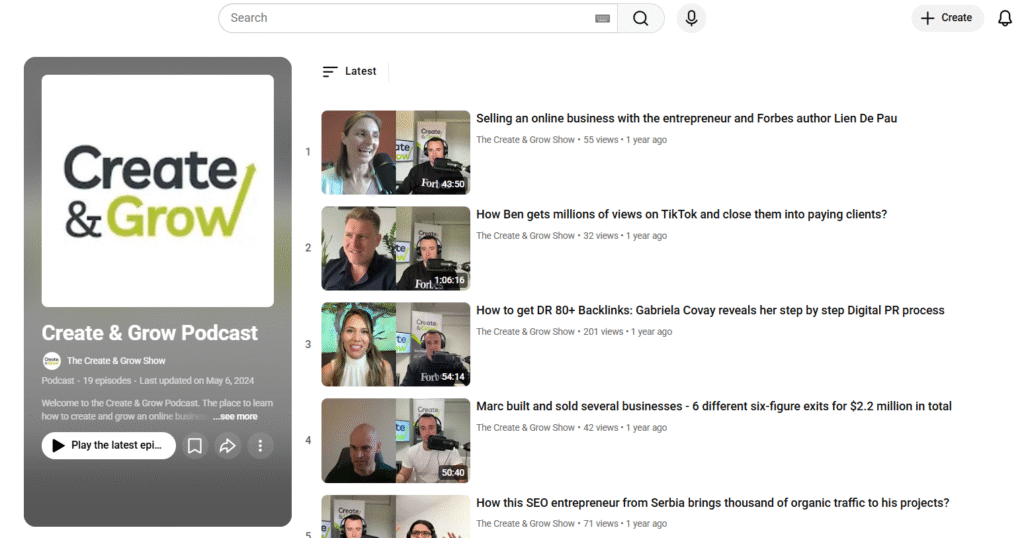
Source: Create & Grow Podcast
Key Features:
Riverside lets you record up to 4K video and lossless audio directly in your browser, even if your guests have internet connectivity issues. Each participant is recorded individually on their device, ensuring clear, uninterrupted audio quality.
By the numbers: YouTube now has more than 1 billion monthly active viewers of podcast content, so recording high-quality video alongside your audio opens up the biggest podcast audience there is, according to the official YouTube Blog.
Riverside also features AI-powered transcription, automatic cloud backup, and a built-in editor, making it faster and easier to perfect your professional podcast.

Source: Riverside
Pros:
- Broadcast-quality audio and video.
- Guests can join with just one click.
- Record locally to avoid delays or interruptions.
- The easiest way to edit and collaborate.
- Best service for remote interviews and professional podcasting.
Cons:
- The premium plan can be a bit expensive for beginners.
- If you have a slow internet connection, uploading large video files can take a while.
2. Audacity
Audacity is a podcast audio recording and editing software. It is a free, open-source option that is perfect for starting out or for podcasters looking for a lightweight option with all the essentials. Audacity is simple to use, and it offers a user-friendly interface that makes recording, editing, and exporting audio in various formats simple.
Key Features:
Audacity offers podcasters a wide range of features, including live audio recording with a microphone, multi-track editing, and basic tools like cut, copy, and mix. It also comes packaged with various built-in effects (e.g, noise reduction, equalization, and compression) that will allow for a quick improvement in sound quality.
It supports third-party plugins (VST, LADSPA, Nyquist) that offer extended features and allow for exporting in the more popular formats like MP3, WAV, and OGG. This flexibility is functional depending on where podcasters plan to publish the audio.

Source: Audacity
Pros:
- 100% free open-source software.
- Easy-to-use, user-friendly interface.
- Cross-platform (Windows/macOS/Linux) capable.
- Large community access to tutorials and plugins.
Cons:
- Audacity 4 brought a refreshed interface, but it still feels plainer than premium software.
- Loss of advanced editing capabilities.
- No built-in features for recording a remote or guest interview.
3. Adobe Audition
Adobe Audition is a professional audio workstation used by podcasters, training developers, musicians, sound engineers, and many more. A part of the Adobe Creative Cloud product suite, it offers a range of uses for you to record audio, edit audio, mix audio, and restore audio.
Key Features:
Adobe Audition has many advanced features for multitrack editing, waveform editing, spectral display, and more that afford users a greater amount of power and control over their audio production process.
It comes standard with noise reduction tools, cleaning features, and mixing tools to really elevate the audio quality for a completed, polished, broadcast podcast episode. In addition, seamless integration with any other Adobe product makes working with other tools provided more comfortable.
Adobe Audition also features batch processing, which makes it usable, efficient, and practical for a professional workflow. Its vast selection of effects, coupled with real-time previews (in the last version at least), means easy adjustments and clear audio control.

Source: Adobe Audition
Pros:
- Contains professional features for recording and editing.
- Produces excellent tools for noise reduction & audio cleaning.
- Seamless integration with Adobe Creative Cloud.
- Great for both autonomous podcasters and production teams.
Cons:
- Paid subscription service (free trial only, no free version available).
- An intermediate to advanced user interface that may require a learning curve for beginners.
- Heavily dependent on resources, it may bog down older computer machines manufactured by HP, Lenovo, etc.
4. GarageBand
GarageBand is a free digital audio workstation (DAW) created by Apple for macOS and iOS. Many people may associate GarageBand with music creation; however, it is also a great entry-level tool for podcasters.
GarageBand comes with everything you need as a podcaster to record, edit, and produce a podcast episode, with no need for deep technical understanding. GarageBand offers a simple drag-and-drop UI and comes with a range of built-in tools.
Key Features:
GarageBand includes multi-track recording and editing, allowing you to record, edit, and monitor voice, music, and effects all in one single project. You’ll have access to many sound effects and royalty-free music loops.
GarageBand offers audio filters, so you can adjust EQ, compression, and reverb to produce quality sound. GarageBand is built for Apple devices, allowing you to seamlessly integrate all your other apps and export your project in seconds.

Source: GarageBand
Pros:
- Entirely free for everyone on macOS and iOS.
- Easy UI, perfect for beginners.
- Filled with music loops, sound effects, and audio filters.
Cons:
- Only available on macOS and iOS.
- It has fewer advanced editing features than pro software.
- Not specifically designed for a podcasting flow.
5. Reaper
Reaper is an inexpensive and very powerful Digital Audio Workstation (DAW) used by an increasing number of podcasters, musicians, and audio professionals. Although Reaper is less common among free tools, it offers many higher-priced tools and features in an affordable package.
Key Feature:
If you can think it, you can do it in Reaper. Reaper supports unlimited multitrack recording, editing, and mixing with a fully customizable interface. It fully supports third-party plugins (VST, AU, DX) with its powerful audio routing capabilities and automation.
It is lightweight, runs comfortably on most hardware, and you can simply render a project or file in several formats. Its customization options and flexibility accommodate podcasters who may want a more customized workflow to set up for their long-term podcasting needs.

Source: Reaper
Pros:
- One-time low-cost license fee.
- Lightweight and efficient software means it works on most computers.
- Customizable interface and workflow.
- Supports unlimited tracks and a wide range of plugins.
Cons:
- May have a more difficult learning curve for individuals brand new to DAW software.
- Interface may feel ‘cheap’ compared to higher-priced DAW options.
- A more general-purpose DAW that incorporates more features not tailored solely for podcasting.
6. Hindenburg PRO (formerly Hindenburg Journalist)
Hindenburg PRO is a digital audio workstation purposely designed for podcasters, radio journalists, and spoken word artists. The purpose of Hindenburg PRO differs from that of an all-purpose DAW, as it is geared toward voice recording and storytelling.
Overall, Hindenburg PRO is one of the best tools on the market for creating high-quality audio podcasts that allow podcasters to create professional-sounding podcasts.
Key features:
Automatic audio leveling, voice profiling, and noise reduction create a seamless experience normally found in broadcast-quality audio. The multitrack editor allows podcasters to arrange interviews, music, and sound effects together quickly.
The organization of your clipboard and the inclusion of chapter markers provide a plan to move efficiently through your podcast, producing smooth transitions and quality audio.

Source: Hindenburg PRO
Pros:
- Tailored specifically for podcasting and voice production.
- Automatic audio leveling is helpful for professional sound.
- Very simple, tidy, user-friendly interface with a little learning curve.
- Ability to publish directly to a podcast hosting service.
Cons:
- Paid software with either subscription or license fees.
- Limited music production features compared to DAWs.
- Not flexible for users who like heavy customization.
7. Logic Pro
Logic Pro is Apple’s professional digital audio workstation, and it has many detailed tools to record, edit, and produce great-sounding audio. Logic Pro is primarily intended for music producers but is also a very viable option for podcasters who want to have control over their audio and their production process.
Key Features:
Logic Pro offers unlimited tracks for both audio and MIDI, advanced mixing and mastering tools, and many effects, loops, and plugins. The Flex Time and Flex Pitch features enable podcasters to delay or adjust audio to a more favorable timing, allowing for precise pitch adjustments.
Logic Pro’s interface is easy to navigate and offers the workflow required to see a project through to completion. Logic Pro is also well-integrated into the Apple ecosystem, meaning not only can it run natively on macOS, but you can also export your projects in a variety of formats efficiently.

Source: Logic Pro
Pros:
- Professional-level tools and effects.
- Ability to record an unlimited number of tracks while offering mixing capability.
- Flying through an extensive library of loops, sounds, and plugins.
- Integration through the macOS ecosystem.
Cons:
- Only available on Mac and iPad.
- Paid software: a $199.99 one-time purchase on Mac, or through the Apple Creator Studio subscription ($12.99/month).
- It may be difficult for beginner users to learn.
8. Descript
Descript is a powerful all-in-one podcasting platform and video editor that will change how creators experience working with audio. Instead of working with waveforms, Descript allows users to edit podcasts by editing text transcripts, which means it’s one of the most powerful yet also easiest to learn tools for modern podcasters.
Key Features:
Descript transcribes your audio automatically, and unlike waveforms, you edit recordings as if you are editing text. It has many additional features, such as filler word removal, AI voice cloning (AI Speech, formerly Overdub), multitrack editing, built-in screen recording, publishing options to podcast hosting services, and even AI tools to help with production and post-production tasks.

Source: Descript
Pros:
- Edit audio by editing text transcripts.
- Powerful AI features like AI Speech voice cloning, the Underlord AI co-editor, and filler word removal.
- Easy to use for novices.
- Integrates well to create publishable podcasts by collaborating with others.
Cons:
- Subscription is required for full features.
- Some tools require an internet connection.
- Less control over deep technical editing compared to other audio editing software (DAW).
Expert tip
Descript is a podcast recording and editing platform that makes creating content as simple as editing a document, so it’s perfect for users with little to no editing experience.

9. Zencastr
Zencastr is a browser-based podcast recording platform focused on remote interviews and high-quality audio. You can record multiple guests on separate tracks, avoiding complicated software, which makes it an ideal solution for content creators who frequently record or collaborate with remote speakers.
Key Features:
Zencastr records only high-fidelity audio locally from each participant and then uploads the files to the cloud for syncing. With this setup, you’ll have studio-quality sound, even if your participants are experiencing spotty internet service.
Zencastr includes integrated post-production tools, automatic volume leveling, built-in noise reduction features, and cloud storage for customers. Zencastr supports video podcasting and built-in monetization and distribution features to maximize creators’ time and efficiency, plus all of its product aspects are integrated and easy to use.

Source: Zencastr
Pros :
- High-quality remote recording with separate tracks for each guest.
- Browser-based, no complicated installations.
- Integrated post-production tools and cloud storage.
- Covered both audio and video podcasting.
Cons :
- Unstable internet makes for poor sessions.
- Limited offline capability.
- Subscription for advanced features.
Conclusion
In 2026, the podcast recording and editing software you choose will depend on what your goals are, how much you’re willing to spend, and your technical level. You can find quality free tools like Audacity and GarageBand or professional podcaster platforms like Adobe Audition, Logic Pro, and Descript.
Everything has its advantages and disadvantages. Ultimately, the best course software for you is the one that allows you to produce consistent, high-quality episodes for your audience, so your listeners remain engaged.
Frequently Asked Questions
Related reading


